
Laser Cutting Nozzle Problems That Reduce Edge Quality
Why does a small laser cutting nozzle create such visible edge defects?
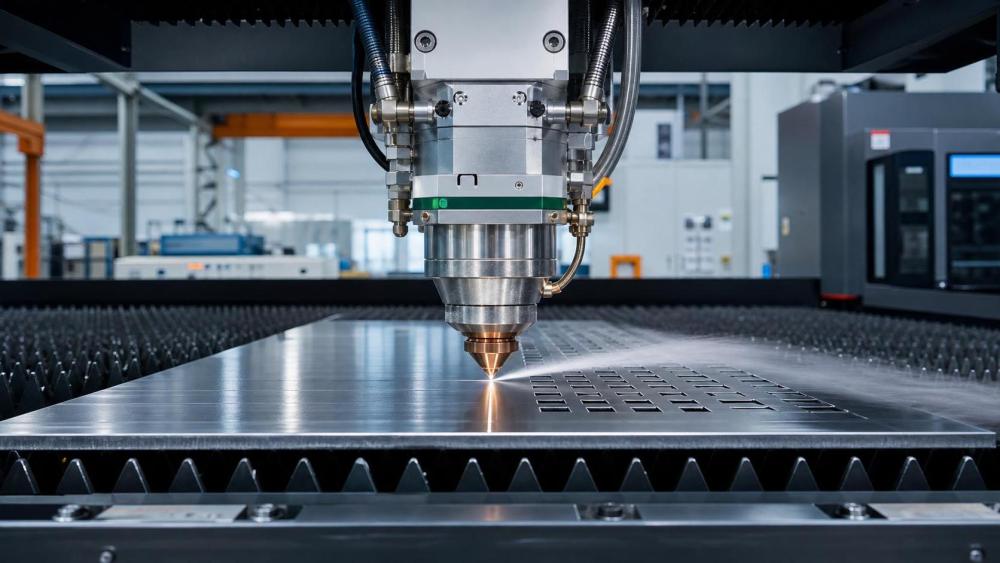
Poor edge quality rarely begins with software alone. In many cutting cells, the first weak point is the laser cutting nozzle.
A damaged, dirty, oversized, or misaligned nozzle changes gas flow before anything else changes. That shift directly affects heat removal and molten metal ejection.
The result is familiar: burrs, dross, rough striations, wider kerf, rounded corners, and unstable cut lines that seem inconsistent from sheet to sheet.
In practical terms, the nozzle is not just a consumable tip. It is part of the process geometry.
That matters across the broader hardware and fabrication landscape followed by HTWS, where welding automation, CNC tooling, and structural assembly all depend on repeatable interfaces.
When edge quality drops, downstream work suffers too. Grinding increases, fit-up slows, coating quality becomes less predictable, and dimensional confidence starts to erode.
So when people search for laser cutting nozzle problems, they are usually not asking about the nozzle alone. They are trying to recover stable production.
Which laser cutting nozzle problems show up first on the cut edge?
The fastest way to diagnose a laser cutting nozzle issue is to read the edge before changing parameters blindly.
Several defects point to nozzle condition more strongly than to power instability or material variation.
A useful rule is this: if defects repeat across different nests but stay tied to one head, inspect the laser cutting nozzle before editing the program.
More often than not, operators lose time correcting feed, pressure, and focus when the nozzle has already drifted out of condition.
Is the problem damage, wrong size, or poor alignment?
These three causes can look similar on the edge, but they behave differently during troubleshooting.
A damaged nozzle usually leaves obvious clues
Small dents, heat marks, oval openings, and impact scratches disturb assist gas symmetry. Even minor mechanical contact can do it.
Once the gas cone becomes uneven, molten metal stops clearing consistently. That is when rough lower edges and sticky slag become harder to avoid.
The wrong size changes process behavior more than many expect
A larger laser cutting nozzle can support higher gas volume, but it may also weaken local pressure at the cut zone.
A smaller nozzle concentrates gas better, yet it becomes less forgiving with thick plate, piercing debris, or stand-off variation.
This is why nozzle choice should follow material, gas type, and thickness together. It should not be copied from a different job without review.
Poor alignment often hides behind “random” inconsistency
If the beam is not centered through the nozzle, one side of the cut gets more energy and different gas support.
That leads to asymmetrical kerf walls, unstable edge lines, and quality shifts during direction changes.
In real shop use, alignment drift is common after nozzle replacement, tip contact, or maintenance around the cutting head.
How can you tell whether the laser cutting nozzle is the real cause?
The cleanest diagnosis comes from a short, repeatable inspection routine. It should take minutes, not hours.
- Inspect the nozzle face under good light. Look for spatter, scratches, discoloration, or out-of-round edges.
- Check the orifice opening. A partially blocked tip can still cut, but edge quality usually degrades first.
- Run a beam centering test. If the burn pattern is uneven, alignment is already suspect.
- Confirm nozzle stand-off and height sensing. Incorrect gap changes gas efficiency and pierce stability.
- Swap in a known-good nozzle of the same type. If quality recovers immediately, the diagnosis becomes much stronger.
This approach matters because nozzle faults often overlap with lens contamination, gas purity issues, or warped sheet conditions.
A controlled comparison helps isolate the source without chasing several variables at once.
HTWS often frames this kind of troubleshooting as an interface problem. The nozzle sits between beam physics, gas delivery, and material behavior.
That is exactly why small consumable changes can create large quality shifts.
What mistakes keep edge quality poor even after a nozzle change?
Replacing the laser cutting nozzle does not automatically restore the process. Several follow-up errors are common.
Using the old settings without verification
A new nozzle may have a different internal finish, opening tolerance, or gas response. Small differences matter at production speed.
It is worth validating focus, pressure, and stand-off on a short coupon before returning to a full nest.
Cleaning too aggressively
Hard tools and rough scraping can deform the tip faster than people realize. A polished edge is part of gas stability.
If buildup is stubborn, replacement is usually safer than over-cleaning a precision opening.
Ignoring nozzle life as a tracked variable
Some shops replace nozzles only after visible failure. That approach increases variability before anyone acts.
A better method is to log run hours, material type, collision events, and recurring defect patterns.
Once that history exists, nozzle replacement becomes planned maintenance instead of emergency reaction.
What is the most practical way to improve nozzle life and keep edges clean?
The strongest results usually come from routine discipline rather than expensive intervention.
- Match laser cutting nozzle diameter to thickness range and assist gas strategy.
- Verify beam centering after every nozzle replacement or head contact event.
- Keep spare nozzles separated by type, condition, and confirmed application.
- Inspect nozzles at shift start when cutting reflective or spatter-prone materials.
- Record edge defects with photos so recurring nozzle problems can be compared objectively.
- Treat gas purity and pressure stability as part of nozzle performance, not as separate topics.
For mixed fabrication environments, this matters even more. Laser cutting may feed welding stations, machined fits, or fastener-ready assemblies.
If the edge is poor, later operations absorb the cost. Clean edges protect the whole chain.
That wider process view fits the HTWS perspective well: precision at the tool interface supports strength, fit, and reliability downstream.
When should a laser cutting nozzle issue trigger a broader process review?
Sometimes the nozzle is the immediate problem, but not the root cause.
If nozzles wear unusually fast, collide often, or clog repeatedly, inspect the surrounding process.
Check sheet flatness, pierce strategy, head height response, gas dryness, and maintenance quality around optics and sensors.
Also review whether one nozzle specification is being stretched across too many materials. A setup that works on mild steel may struggle on stainless or aluminum.
In other words, the laser cutting nozzle is often the first warning sign. It tells you the process window is narrowing.
The most useful next step is simple: document one bad edge, inspect one nozzle, run one centering check, and compare with a known-good setup.
That sequence usually reveals whether the fix is a quick consumable change or a broader stability issue worth addressing before output drops again.